PromptX · AI-native Professional Capability Enhancement System
Provides specialized roles, memory management, and knowledge systems for AI applications through MCP protocol. One command to transform any AI client into a professional powerhouse.


Provides specialized roles, memory management, and knowledge systems for AI applications through MCP protocol. One command to transform any AI client into a professional powerhouse.
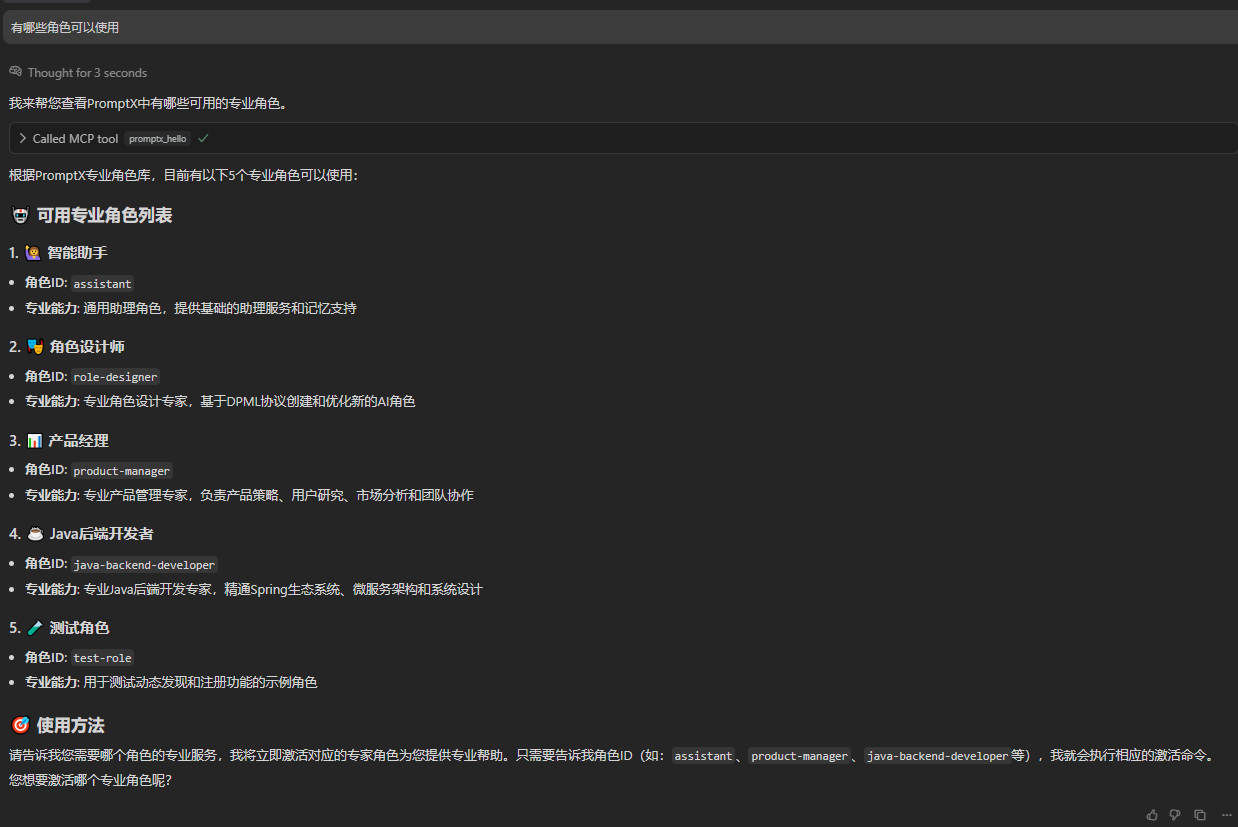 #### **2. Intelligent Memory**
*Use `promptx_remember` to save key information, and AI will proactively apply this knowledge in subsequent interactions.*
#### **2. Intelligent Memory**
*Use `promptx_remember` to save key information, and AI will proactively apply this knowledge in subsequent interactions.*
 ---
## 🚀 **Quick Start - 30-Second Setup**
Open your configuration file and copy the `promptx` configuration code below. This is the simplest **zero-configuration mode**, where PromptX automatically handles everything for you.
```json
{
"mcpServers": {
"promptx": {
// Use npx to run promptx service
"command": "npx",
// '-y' auto-confirm, '-f' force refresh cache, 'dpml-prompt@snapshot' use latest version, 'mcp-server' start service
"args": ["-y", "-f", "dpml-prompt@snapshot", "mcp-server"]
}
}
}
```
**🎯 It's that simple!** Save the file and restart your AI application, and PromptX is successfully activated.
🔧 If you want to specify a particular folder as PromptX's workspace, you can add the `env` environment variable.
```json
{
"mcpServers": {
"promptx": {
"command": "npx",
"args": ["-y", "-f", "dpml-prompt@snapshot", "mcp-server"],
"env": {
// PROMPTX_WORKSPACE: Custom workspace path (optional, automatically detected by default)
// Windows: "D:\\path\\to\\your\\project" (note the double backslashes)
// macOS/Linux: "/Users/username/path/your/project"
"PROMPTX_WORKSPACE": "/your/custom/workspace/path"
}
}
}
}
```
---
## 🚀 **Quick Start - 30-Second Setup**
Open your configuration file and copy the `promptx` configuration code below. This is the simplest **zero-configuration mode**, where PromptX automatically handles everything for you.
```json
{
"mcpServers": {
"promptx": {
// Use npx to run promptx service
"command": "npx",
// '-y' auto-confirm, '-f' force refresh cache, 'dpml-prompt@snapshot' use latest version, 'mcp-server' start service
"args": ["-y", "-f", "dpml-prompt@snapshot", "mcp-server"]
}
}
}
```
**🎯 It's that simple!** Save the file and restart your AI application, and PromptX is successfully activated.
🔧 If you want to specify a particular folder as PromptX's workspace, you can add the `env` environment variable.
```json
{
"mcpServers": {
"promptx": {
"command": "npx",
"args": ["-y", "-f", "dpml-prompt@snapshot", "mcp-server"],
"env": {
// PROMPTX_WORKSPACE: Custom workspace path (optional, automatically detected by default)
// Windows: "D:\\path\\to\\your\\project" (note the double backslashes)
// macOS/Linux: "/Users/username/path/your/project"
"PROMPTX_WORKSPACE": "/your/custom/workspace/path"
}
}
}
}
```

 ---
## 📄 **License**
[MIT License](LICENSE) - Making AI professional capabilities accessible
---
**🚀 Get Started Now: Launch PromptX MCP Server and enhance your AI application with professional capabilities!**
```
---
## 📄 **License**
[MIT License](LICENSE) - Making AI professional capabilities accessible
---
**🚀 Get Started Now: Launch PromptX MCP Server and enhance your AI application with professional capabilities!**
```